Posts

Jaspersoft Report Writing Best Practices

Image
The following is a set of guidelines for developing reports with iReport and JasperReports Server. It was compiled with the help of  Frau Klein Best Practice - report resources: Report units contain references to the resources they use: images, styles, sub-reports, queries, input controls -  example Why ? Promotes re-usability (nothing is local to report unit). Easy maintenance around moving report units, replacing resources in a mass scale.   Best Practice - references:  Never hard code an entire repository path to resource, the image repo:/reports/images/image.png should come in as a reference like repo:image.png   - example Why? When you use js-export with --uris option it only resolves repository dependencies, it doesn't look for expressions that maybe use an absolute repository path   Best Practice - styles: Do not hard code any style information to JRXML. Develop central style templates (jrtx, jrctx) for all your repo...

TalendDate

Not a lot of examples around TalendDate so thought I'd post a couple of quick examples: Today's date: TalendDate.getDate("yyyy-MM-dd") Returns: 2012-04-12 Yesterday's date: TalendDate.addDate(TalendDate.getDate("yyyy-MM-dd"),"yyyy-MM-dd",-1,"dd") Returns: 2012-04-11 Tomorrow's date: TalendDate.addDate(TalendDate.getDate("yyyy-MM-dd"),"yyyy-MM-dd",1,"dd") Returns: 2012-04-13 Date format: CC - century YY - year MM - month DD - day of month hh - hour mm - minutes ss - seconds Return types: string! Other methods: TalendDate.compareDate(myDate,myDate2,"yyyy-MM-dd") TalendDate.diffDate(myDate,myDate2,"MM") TalendDate.formatDate("yyyy-MM-dd HH:mm:ss",myDate) TalendDate.setDate(mydate,newValue,"MM") TalendDate.getFirstDayOfMonth(mydate) TalendDate.getLastDayOfMonth(mydate) TalendDate.getRandomDate("2007-01-01","2008...

Flush Jaspersoft OLAP Cache from Talend/JasperETL

Image
JaspersoftETL is a Java code generation tool designed to load your operational data into a  data warehouse  and get it ready for reporting and analysis.   Jaspersoft OLAP  takes advantage of aggregate tables and an in-memory cache to speed up queries. If you're running a nightly job to load the DW, it's a good idea to clear the OLAP cache at that time, otherwise your users will not take advantage of new data. There are several ways to clear the OLAP cache: Login with superuser privileges and display the OLAP Settings page. In the OLAP Settings panel, click Flush OLAP Cache .    Using utilities such as cURL and wget, send an HTTP request to this URL: http://server:8080/ olap/flush.html?j_username=superuser&j_password= Restart the application server instance.  Call the Java API. I've created a small component that allows the clearing of cache via the URL method from a JasperETL/Talend job. Essentially it will prompt you for a userna...

Using tGoogleAnalyticsInput in JasperETL/Talend

Image
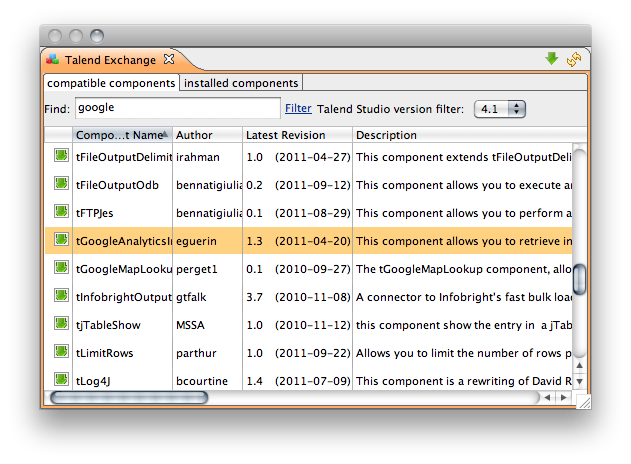
This is a short article on getting Google Analytics into JaspersoftETL / Talend ETL tools. Google Analytics has a nice interface and many great ways of analyzing web traffic, it'd be hard to beat the work Google did there. The purpose of this connector would be to bring the data into your own data warehouse and join it with other intelligence you might have. A great way to display the aggregated data would be with a BI tool like  Jaspersoft . I'm writing because the help for the tGoogleAnalyticsInput is in French and incomplete. So let's get started. You'll need JasperETL 4.1.2 or older (commercial editions here , open source here ). Installing the plugin: Create a new Job Design and drag the tGoogleAnalyticsInput component from the Palette (under Internet): Configure the component. First start with finding some fields you'd like to use from the Google API: http://code.google.com/apis/analytics/docs/gdata/dimsmets/dimsmets.html....

Icinga Reporting with JasperReports Server - Part 2: Usage + Basic Report Development

Image
Short tutorial, shows how to schedule a report, how to change the way you are prompted for parameters and some basic editing of reports within iReport

Icinga Reporting with JasperReports Server - Part 1: Installation

Image
A quick overview of how to install and configure the reporting add-on packages for Icinga (a Nagios Monitoring Fork), written for JasperReports Server.

Backing Up JasperServer in Linux

Image
This is a sysadmin how-to for backing up JasperReports Server (formerly JasperServer) and it's database (MySQL only for now). I wrote a fairly robust script to achieve this task. It will read the database configuration from your default_master.properties file, work with several versions of JasperServer, delete old backups, write to the syslog and export the repository contents to file. First drop my backup script into your \buildomatic folder if you're using 4.0 and abovie, 3.7 and below put in your /scripts folder. Once the script is in place edit the variables at the top of the script: This is to signify that you're using JasperServer 3.7.1 and below: IS_PRE_4=false This is a name for the product: PRODUCT_NAME="JRS-4.0-Pro" This is where backups will be stored: BACKUP_DEST="/home/ernesto/Dropbox/Backups" This will delete old backups if set to true DELETE_OLD=true How many days to keep old backups DAYS=120 Now add it to your cr...